# User Notifications
Each user can customize their own email notification preferences to stay updated on important events. Notifications are configured at the **user level** (not organization-wide), allowing every team member to choose what they want to be informed about.
#### How to Access Notifications
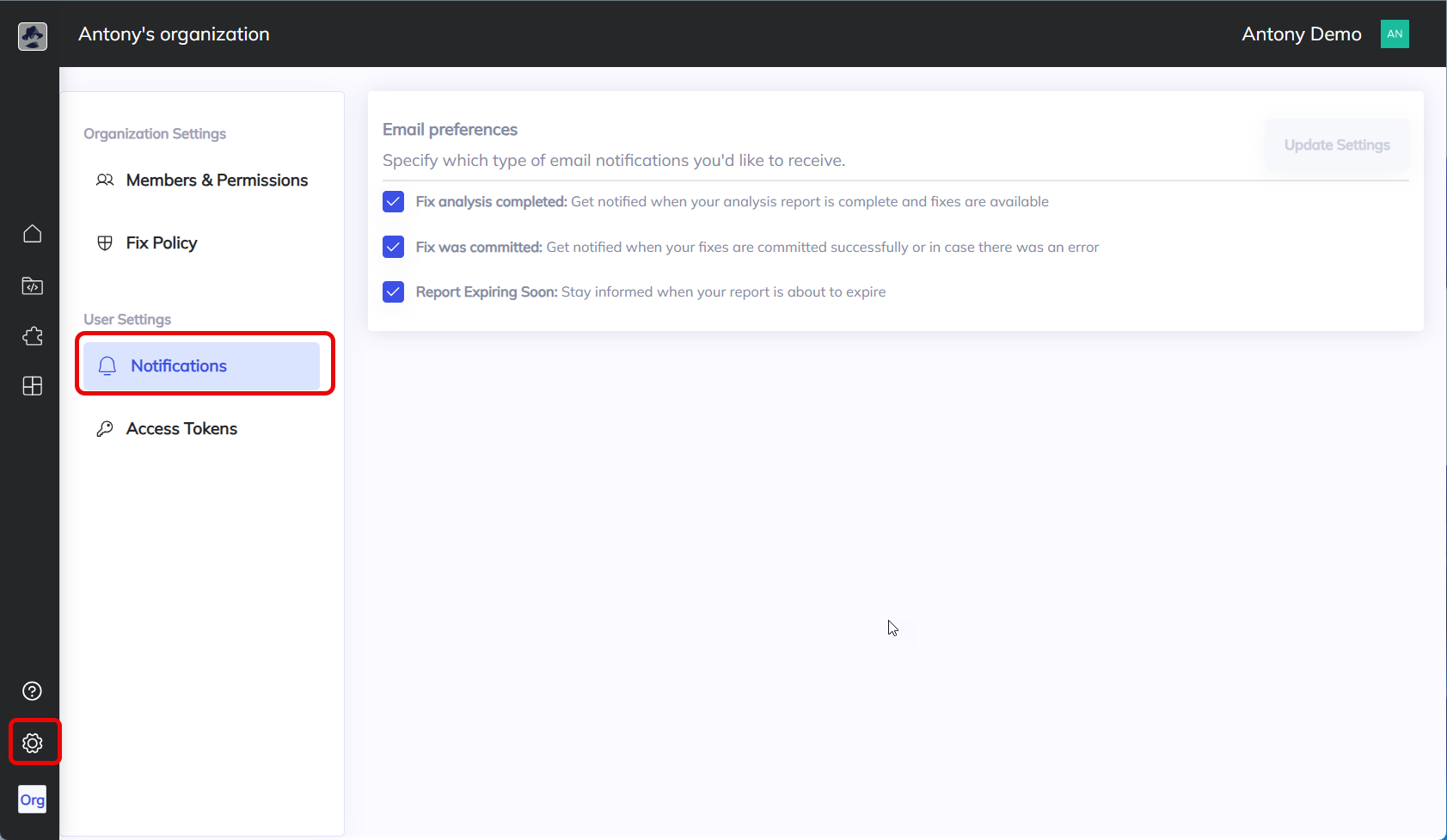
1. Navigate to the **Settings** menu from the navigation menu at the bottom left-hand side.
2. Navigate to **User Settings**.
3. Select **Notifications**.
4. You will see a list of available notification types with checkboxes.
### Available Notification Types
* **Fix analysis completed**\
Get notified when your analysis report is finished and fixes are available.\
\&#xNAN;*Example use case:* If you’re waiting for results from a large scan, you’ll know the moment your fixes are ready to review.
* **Fix was committed**\
Receive an email when your fixes are successfully committed to the repository, or if an error occurs during the commit process.\
\&#xNAN;*Example use case:* Developers can quickly confirm that auto-fixes have been applied without needing to check manually.
* **Report expiring soon**\
Stay informed when a report is about to expire so you can take action before losing access.\
\&#xNAN;*Example use case:* Ensure you don’t miss the chance to review or export data before reports are removed.
### Updating Your Settings
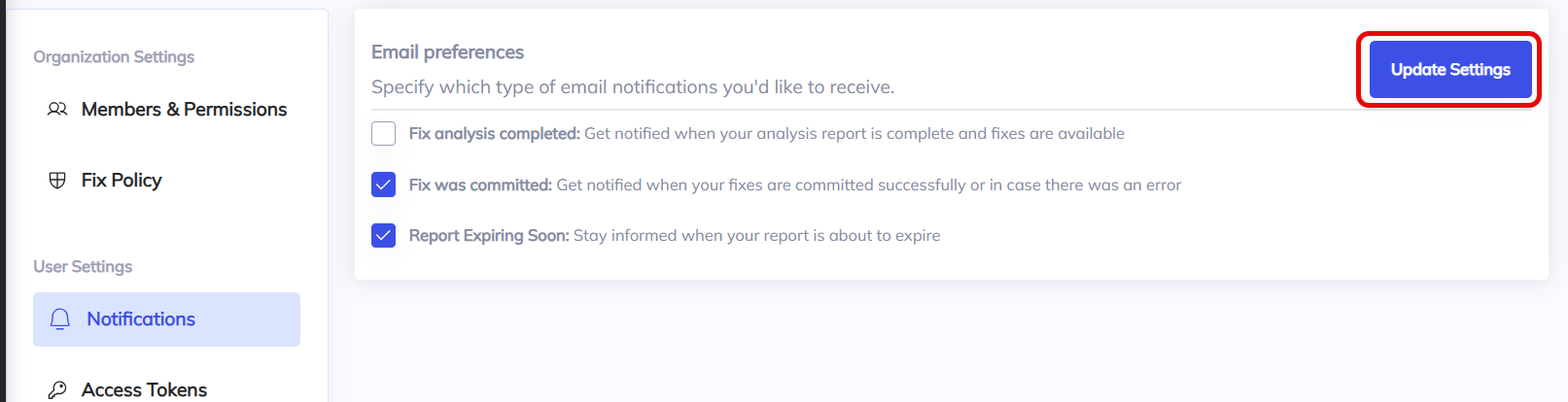
* To enable or disable a notification, check or uncheck the box next to the option.
* Click **Update Settings** to save your preferences.
> ⚠️ **Note:** Changes apply only to your account. Other users in the organization must configure their own notification preferences.